Tampilkan postingan dengan label security app. Tampilkan semua postingan

Get a list of all files on a drive

Posted by Unknown Minggu, 30 Juni 2013 0 komentar

Get a list of all files on a drive
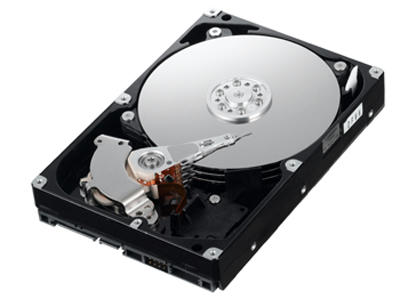

This is a batch file designed to secretly get a list of all the files and folders on a drive via a USB drive. The batch file even lists hidden files. All you have to do is put the batch file into the USB drive and make your victim open it. When you get back the USB drive the list would be waiting for you!
The listing of the files could take some time. So it is essential that the victim does not close the batch file until the listing is completed.

 You can achieve this in two ways:
One way is to run the batch invisibly as a process using two extra short VBScript files. I will show you how to do this in a later post.
The other way is to mask the listing of the files with some spoof like system configuration or something important.
In this trick I am going to use the second method.
This is easier than the first method.

Step 1: Paste the following code into notepad and save as a .bat file.


Step 2: After saving, copy the batch file into the root of your USB drive.

Step 3: Now the trap has been set. Give the USB drive to your friend and use some social engineering to make him/her open it. You can tell your friend that it is a software you made or some cool software. This depends on your social engineering skills. Just make him/her open it remember to tell not to format the USB drive.

When you get back the pendrive the data collected would be in a hidden text file. To reveal the text file:

Step 1: Open command prompt window.
 To open a command window goto start menu and type cmd into the search bar and press enter.

Step 2: Assuming the USB drive letter is F Enter the command into the cmd window and execute it : attrib "F:\XBData.txt" -h -s

After you reveal the text file open it and you will see a list of files stored in his drives including the hidden ones. This trick greatly depends on your skills in social engineering.

Enjoy the look of your friends face when you tell them where he stores certain files and what files he/she has hidden!

 Remember to rate this post and leave any questions.


Baca Selengkapnya ....

Hide text in image files

Posted by Unknown 0 komentar

Hide text in image files

Image

* Sometimes when you want to send secret messages to your friends you would be looking for the most unsuspicious way. Here is a great trick to send text in an image file. Using a simple HTML application to hide the text into the image file according to the password you provide you can send secret messages to your friends. 

Note : 
  Both you and your friend should have the program and must know the password.

To make the HTML application file paste the following code into notepad and save with 
 .hta extension. For example > ByteConceal.hta

Image path:

Password: Image path:

Danger : DOnt modify the files. there is a chance of data corruptions..


Note : Also you can download the executable version of the program here: Download

  *Open the program and you will see a text box for password, a text area for the text, a text box for entering the path for the image file and a button labeled Hide.
 Fill in the fields. The password should be an integer between 1000 and 9999, 

      *The text area contain the text you want to hide. Enter the path for the image file you want to hide the text into. Eg: C:\Users\Anbu\Documents\Secret.jpg. After that press the hide button. Now a new jpg file named XBSecret.jpg will appear in the directory of the program. This file will containing the stored text. Send it your friends!

  *Now to retrieve the text from an image, open the program. You will see a password field and a text box for the image path as well as a Retrieve button in the lower part of the window. Enter the password and the image path. The program will tell you if the image does not contain hidden data or whether the password is incorrect. If you filled in all the fields correctly a new text file named XBText.txt will be created in the same directory as the program and will contain the recovered data.

WARNING: The data in the image file will be lost if you edit it with any picture editing program!
Remember to leave your ratings and comments! Keep tuned to the blog and share the blog on with your friends.


Happy hacking ... bookmark us and enjoy new feeds..

Baca Selengkapnya ....
Trik SEO Terbaru support Online Shop Baju Wanita - Original design by Bamz | Copyright of android news.